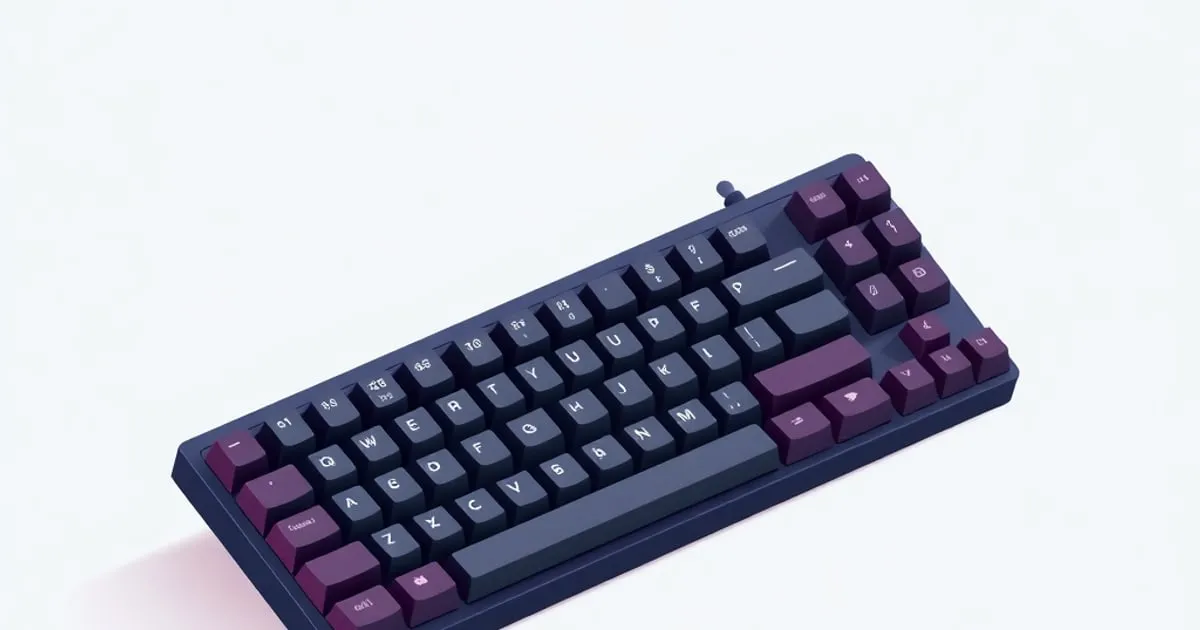
Best Budget Mechanical Keyboard Under $100: Real Picks for 2026
Three budget mechanical keyboards under $100 that actually deliver — gasket mounts, hotswap sockets, and honest takes on factory lube vs. reality.
The best budget mechanical keyboard under $100 has gotten genuinely good in the last two years. Gasket mounts, hotswap sockets, pre-lubed switches, and QMK support are no longer $150 features — you can get all four for sixty dollars if you pick the right board. The hard part is filtering out the ones that mail you rattling stabilizers and call it “premium.”
This guide covers three boards across the $40–$100 range. All have been vetted against the same criteria: mounting style (gasket or top-mount minimum), stabilizer type, real factory lube quality, sound floor, and what you actually get for the price premium as you move up.
How to Pick: A 30-Second Decision Tree
Size first. If you need function keys daily, look at a 75% or TKL. If you can live without them and want a smaller footprint, a 65% is the better typing experience — less case resonance, more compact.
Switch type second. Linears bottom out smooth and quiet (great for shared spaces); tactiles give you a bump without the clicky noise (good all-rounder); clickies are for people who want to hear their keyboard and don’t share office walls.
Wireless or wired? Wired polling rates are higher (important for gaming at 1K Hz+), and wired removes one variable from the sound path. Wireless boards at this price point are genuinely fine for typing; gaming is debatable.
Once you know your size, switch type, and connectivity preference, the picks below map cleanly. To put any two or three of these boards head to head on the specs that differ, run them through our keyboard comparator, which highlights only the rows where the picks actually diverge.
The Picks
Keychron C3 Pro 8K (~$37–$60) — Best Overall Value
Build summary: TKL/80% layout (87 keys), plastic case, gasket mount with PC plate, plate-mount stabilizers, hotswap PCB (5-pin), wired USB-C, 8K polling rate, QMK/VIA.
The Keychron C3 Pro 8K ↗ is the board that made it embarrassing to recommend anything over $80 for office typing. At $37–$45 depending on switch choice, you get a gasket mount (not top-mount, not tray-mount — gasket), hotswap sockets so you can swap switches later, and full QMK/VIA programmability. The 8K polling rate (8000 Hz) is a genuinely unusual spec at this price; wired-only gamers will notice.
Switch behavior in this board: Keychron ships the C3 Pro 8K with their own Red or Brown switches, factory-lubed on the housing. The tactile Browns are a light, gentle bump rather than a sharp tactile event, while the Reds are a straightforward light linear. If you’re already eyeing a switch swap, the hotswap PCB makes that a five-minute job with a switch puller.
Sound profile: Thocky-ish for plastic — the gasket mount and Keychron’s sound-absorption stack (IXPE film, PET film, acoustic foam, silicone bottom pad) do real work absorbing bottom-out vibration. Reviewers generally peg it as cleaner than the tinny rattle you’d expect at this price, if not a marble-on-glass board.
Compared to: At $40 below, the Redragon K552 gives you a top-mount tray board with plate-mount stabs that reviewers commonly note rattle out of the box. At $40 above, the Epomaker TH80 V2 Pro adds wireless and a screen but costs more. For pure wired-typing value, the C3 Pro 8K is hard to beat.
Best for: Anyone who wants QMK programmability, a solid first custom-adjacent board, or a work keyboard that doesn’t embarrass itself acoustically.
Epomaker TH80 V2 Pro (~$65–$80) — Best for Wireless + Features
Build summary: 75% layout, plastic case, gasket mount, plate-mount stabilizers, hotswap PCB (5-pin + 3-pin), triple-mode wireless (USB-C / 2.4 GHz dongle / Bluetooth), 10,000 mAh battery, rotary knob, 1.06-inch glass-covered TFT color screen, VIA compatible.
The TH80 V2 Pro is the board you recommend when someone says “I want wireless, I want the knob, I want that little screen, and I have $80.” Epomaker has been iterating on this form factor long enough that the gasket feels dialed in, and reviewers report the stabilizers come pre-lubed free of the rattle or ticking you see on cheaper boards. The 10,000 mAh battery is the headline spec, rated by Epomaker for 200+ hours wirelessly with the backlight off.
Switch behavior in this board: Available with several pre-lubed switch options, including Gateron Pro linears (Yellow is a safe pick). Per spec, the switches ship preassembled and factory-lubed across the lineup, which reviewers report as more consistent than the thin coat on the Keychron Browns. It still benefits from a hand-lube pass with 205g0 on the stem rails if you’re chasing the full linear butter experience, but it’s usable stock.
Sound profile: Reviewers describe a deep, foamy, well-filtered signature, helped by the gasket mount and a five-layer dampening stack (foam, switch pad, sound-enhancement pad, switch-socket pad, silicone base). The 1.06-inch screen shows time, battery percentage, and connection status at a glance, and the metal volume knob is widely called genuinely useful rather than a gimmick.
Compared to: At $40 below, the C3 Pro 8K wins on polling rate and QMK depth. The TH80 V2 Pro trades those for wireless and the screen, which genuinely matters if you hot-desk or want one board for desk and couch. At $40 above, you’re approaching the Epomaker Shadow-S territory with aluminum and more switch options.
Best for: Wireless-first typists, people who want the rotary knob for volume/media without a separate macro layer, and anyone drawn to the on-board screen customization.
Keychron K3 Max (~$89–$100) — Best Low-Profile
Build summary: 75% layout (84 keys), low-profile plastic case, plate-mount stabilizers, hotswap PCB for Gateron/Keychron low-profile switches, triple-mode connectivity (USB-C / Bluetooth 5.1 / 2.4 GHz dongle), 1550 mAh battery, 1000 Hz polling (wired and 2.4 GHz), LSA double-shot PBT keycaps, QMK/VIA.
Low-profile mechanical keyboards occupy a specific niche: you want the actuation feedback and programmability of a mechanical board but a thickness close to a laptop keyboard. The Keychron K3 Max ↗ does this with genuine low-profile switches rather than standard-height switches crammed into a thin housing. It is one of the few low-profile boards that keeps QMK/VIA programmability and a hotswap PCB while staying under $100.
Switch behavior in this board: The K3 Max ships with Gateron low-profile switches and a hotswap PCB, so you can change them without soldering. Low-profile switches top out and bottom out over a shorter stroke than standard-height switches, so there is less finger travel once muscle memory adjusts. The hotswap socket means if the stock switch feel is not for you, a swap is a low-effort fix.
Sound profile: Higher-pitched than the other two by nature of the low-profile design — shorter acoustic column, less resonance. Closer to a “clack” than a “thock.” Not bad, just different. People coming from laptop keyboards tend to find it immediately familiar.
Compared to: The C3 Pro 8K and TH80 V2 Pro both feel more substantial acoustically and ergonomically. The K3 Max is the right pick if portability or desk height clearance is the actual constraint, and it keeps the wireless flexibility the C3 Pro lacks. Step up in the Keychron low-profile line and you trade up to aluminum cases and larger batteries.
Best for: Laptop users who want better feel without retraining muscle memory for key height, and anyone who wants a light, slim board they can pack daily while keeping QMK/VIA and wireless.
What to Watch Out For in This Price Range
Factory lube vs. marketing: Every board in this range claims “pre-lubed.” That means different things. On the C3 Pro Browns, it means a housing coat that improves noise but doesn’t fully address stem feel. On the TH80 V2 Pro switches, reviewers report a more complete factory lube pass across the lineup. Read the switch model, not the marketing copy.
Stabilizer type matters: Stabilizer mounting affects how much a board rattles, how hard it is to tune, and how it ages. Screw-in PCB stabs are the easiest to tune and the most rattle-resistant, but at this price they are rare: the Keychron C3 Pro 8K, the Epomaker TH80 V2 Pro, and the Keychron K3 Max all ship plate-mount stabs. Plate-mount stabs are workable, especially once pre-lubed from the factory, but they reward a tuning pass more than screw-in stabs do. Read the spec sheet rather than assuming a price tier guarantees screw-in.
Polling rate matters for gaming: The Keychron C3 Pro 8K is exceptional here at 8K Hz. The wireless boards poll at 1K Hz in USB mode, lower in wireless. For competitive gaming, wired at 8K Hz is the honest recommendation. For typing, the difference is invisible.
Tom’s Hardware’s budget keyboard roundup ↗ and RTINGS.com’s cheap keyboard guide ↗ are both good reference points for cross-testing methodology and switch comparisons if you want more data behind these picks.
Sources
- RTINGS.com — Best Cheap Mechanical Keyboards ↗ — Cross-methodology testing covering latency, actuation force, sound, and build quality across budget boards.
- Tom’s Hardware — Best Budget Mechanical Keyboards ↗ — Detailed component-level analysis of budget keyboard builds, switch comparisons, and value assessments.
- Keychron C3 Pro 8K — Official Product Page ↗ — Full spec sheet including polling rate, PCB pinout, QMK/VIA firmware documentation, and switch options.
- Keychron K3 Max — Official Product Page ↗ — Low-profile switch specifications, connectivity modes, polling rate, and battery life data.
Sources
Related

Gasket vs Tray vs Top Mount: Keyboard Mounting Styles
Mounting style is the spec enthusiasts argue about most and beginners understand least. A plain-English comparison of tray, top, gasket, and plate mounts

Mechanical Keyboard Budget Tiers: What Changes as You Spend
From entry boards to enthusiast builds, here's what actually improves at each price tier — and, just as importantly, where spending more stops buying you

Aluminum vs Polycarbonate vs Plastic Keyboard Cases Compared
Case material is the most under-discussed part of how a mechanical keyboard sounds and feels. An honest comparison of aluminum, polycarbonate, and ABS